AI INTEGRATION STUDIO

Connect with customers through their AI assistants

Zoowa makes your services AI-native and brings them to the assistants your customers already use, so customers can discover and use what you offer right in the conversation.

Explore workflows
  • Permission-led
  • Built around your systems
  • Operated with you
AI INTEGRATION STUDIO
How do we make our existing services understandable to frontier AI models?

We assess your existing websites, APIs and workflows, then build MCP infrastructure that helps supported frontier models understand and use your services. Zoowa guides you through scoping, access and permissions, implementation, testing and rollout, then supports ongoing maintenance and performance tracking.

✓Review websites + APIs✓Build MCP infrastructure✓Guide implementation
Illustrative integration guidance. Platform capabilities and publishing requirements vary.

What an integration makes possible

Answer the question. Enable the next step.

A useful integration connects information and actions a business already owns to an AI experience where people are making decisions.

  1. 01Understand

    Give accurate answers

    Make products, services, eligibility and expertise clear to the AI experience.

    PRODUCTS & SERVICESCatalogue, pricing, availabilityIn scope
    POLICIES & ELIGIBILITYCurrent rules and requirementsReviewed
    BUSINESS EXPERTISEApproved knowledge and guidanceReady
  2. 02Connect

    Make an action possible

    Support tasks such as searching listings, checking availability or requesting a quote.

    01
    Search listingsFind relevant options
    →
    02
    Check availabilityUse current business systems
    →
    03
    Request a quoteRoute the next step correctly

    AI platform ↔ governed infrastructure ↔ business systems

  3. 03Improve

    Keep the infrastructure useful

    Monitor usage and platform changes, then maintain the systems behind the experience.

    Performance trackingUsage, response quality and errors
    Monitor
    Platform maintenanceAPI and publishing changes
    Maintain
    Workflow improvementsRules and services as needs evolve
    Improve

Integration patterns

Useful work, connected.

Each integration is shaped around an actual customer task, the information your team approves, and the systems that need to take part.

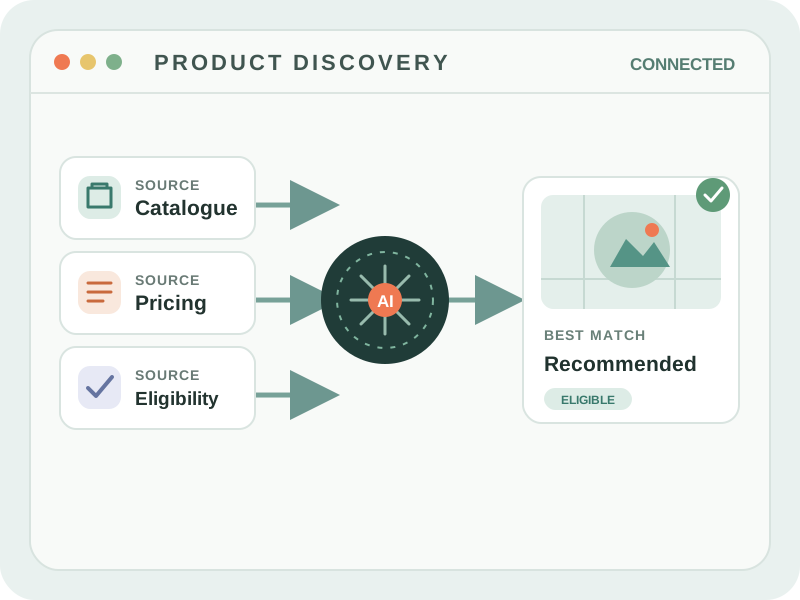
Technical diagram connecting catalogue, pricing, and eligibility to an AI product recommendation01
PRODUCT AND SERVICE DISCOVERY

Help people find what fits.

Search an approved catalogue, explain relevant options and guide the customer to a suitable next step.

CONNECTED SOURCESCatalogue · pricing · eligibility
USEFUL NEXT STEPCompare · enquire · book
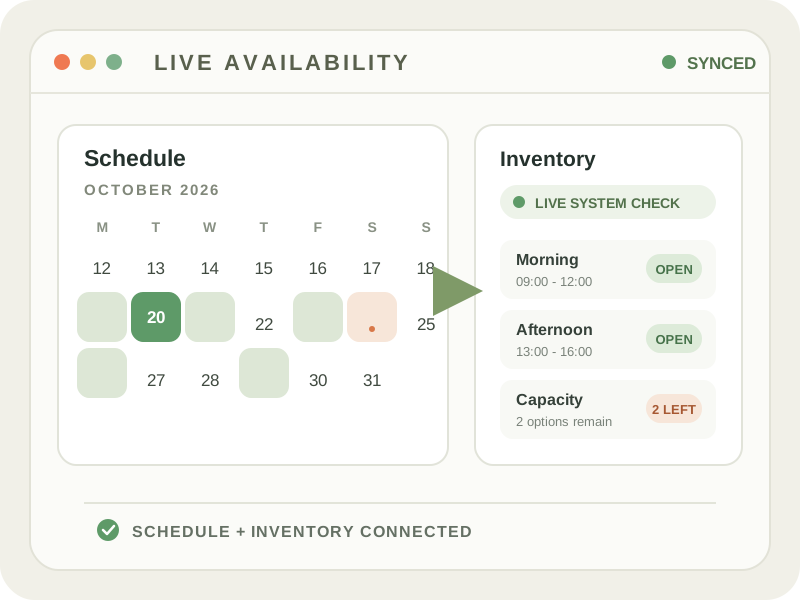
Technical schedule and inventory interface showing live availability02
AVAILABILITY AND REQUESTS

Connect intent to an available option.

Check relevant dates, stock or service capacity and prepare a request for the right team to confirm.

CONNECTED SOURCESSchedules · inventory · service rules
USEFUL NEXT STEPCheck · reserve · request
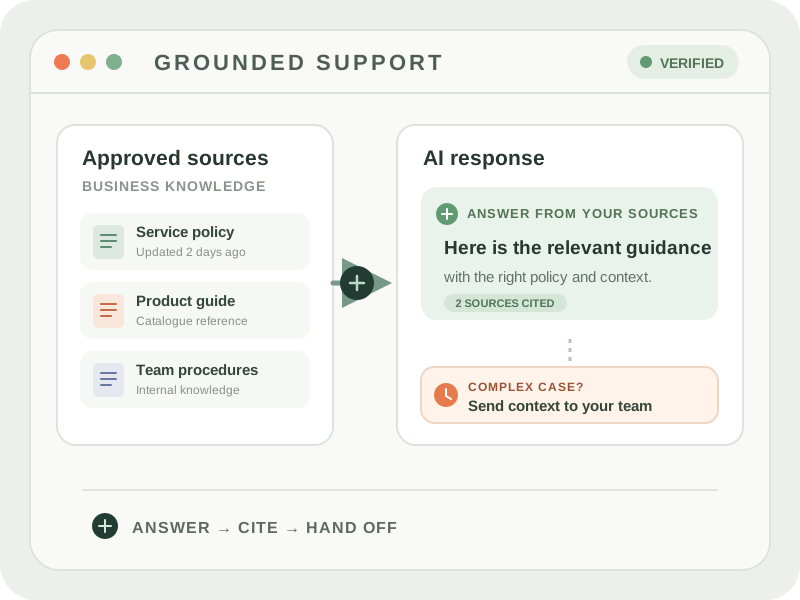
Technical diagram grounding an AI support answer in approved sources with a human handoff03
GUIDED SUPPORT

Answer from approved information.

Use current policies and knowledge to answer routine questions, then route complex cases with context.

CONNECTED SOURCESKnowledge · policies · support tools
USEFUL NEXT STEPAnswer · escalate · follow up
APPROVED INFORMATIONBUSINESS SYSTEMSCUSTOMER NEXT STEP

Managed service

We don't just build it. We manage it.

An integration doesn't have to be a one-time launch. As platforms change, APIs evolve and useful workflows emerge, Zoowa can continue to manage, monitor and extend the infrastructure after deployment.

INTEGRATION SCOPESystems in the workflow
Agreed scope
WebsitesAPIsBusiness systemsSupported AI platforms
Access and change controlsSET FOR THIS WORKFLOW
Approved data sourcesUse the systems and information agreed for the integration
Scoped
Supported actionsEnable the specific tasks included in the workflow
Defined
Production changesTest updates and confirm changes before release
Reviewed
Human handoffExceptions go to the team that owns the process.

Design and build

Map the customer task, required data and systems, then build the integration pattern that fits.

Deploy and operate

Configure access, test the workflow and monitor availability, errors and usage.

Maintain and extend

Respond to platform changes and extend to new workflows where supported.

Platform ecosystem

Zoowa connects across AI platforms.

Every platform has its own capabilities, requirements and publishing model. Zoowa manages the complexity behind the scenes.

AppsConnectorsMCPPlugins where supportedToolsAPIsAgent interfaces
ZoowaConnecting to AI platforms
ChatGPTPlatform-specific options
ClaudePlatform-specific options

GeminiPlatform-specific options

Microsoft CopilotPlatform-specific options

PerplexityPlatform-specific options
OthersEvolving ecosystem

Not every platform currently supports public third-party integrations. Capabilities, access and publishing requirements differ and change over time.

Zoowa also operates a public MCP server over Streamable HTTP. Its defined tools provide structured Zoowa information and guidance to compatible AI systems; they are separate from client-specific integrations for approved business data and workflows. The public Zoowa MCP does not expose customer transaction tools.

Build around your business

Automate routine work. Keep your team in control.

Bring us a workflow that repeats. We'll connect it to your existing tools, automate the routine steps, and set clear approval points with your team.

  1. Interest
  2. Details

CHOOSE AN ENGAGEMENT MODEL

How should the integration be delivered?

Select the approach that best fits your current need. You can add details on the next step.

Not sure? Book a call
  1. Interest
  2. Details

CONTACT ZOOWA · LLM INTEGRATIONS

Tell us what you want to build.

A few details will help us prepare for the conversation.